


Code Snippet #1 app.js
Remember to initiate NGROK to forward traffic to your local server
You can do this with ./ngrok http 5000. Find a quick-start guide for NGROK here.
Quick links for this tutorial
Setting up a Node.js environment
The easiest way to test that node is installed is to run the "version" command in your terminal/command prompt and check that a version string is returned:
The Node.js package manager NPM should also have been installed, and can be tested in the same way:
For more basic Node.js guides visit nodejs.org for really well documented and easy to follow getting-started guides.
Configuring Node endpoints
You will see the following line of code. You will need to update the baseURL so that your server endpoints function correctly.
In this case our Node application will be running on an NGROK server
and the location where we would like to receive information is at "/ivr" where we have the next set of instructions.
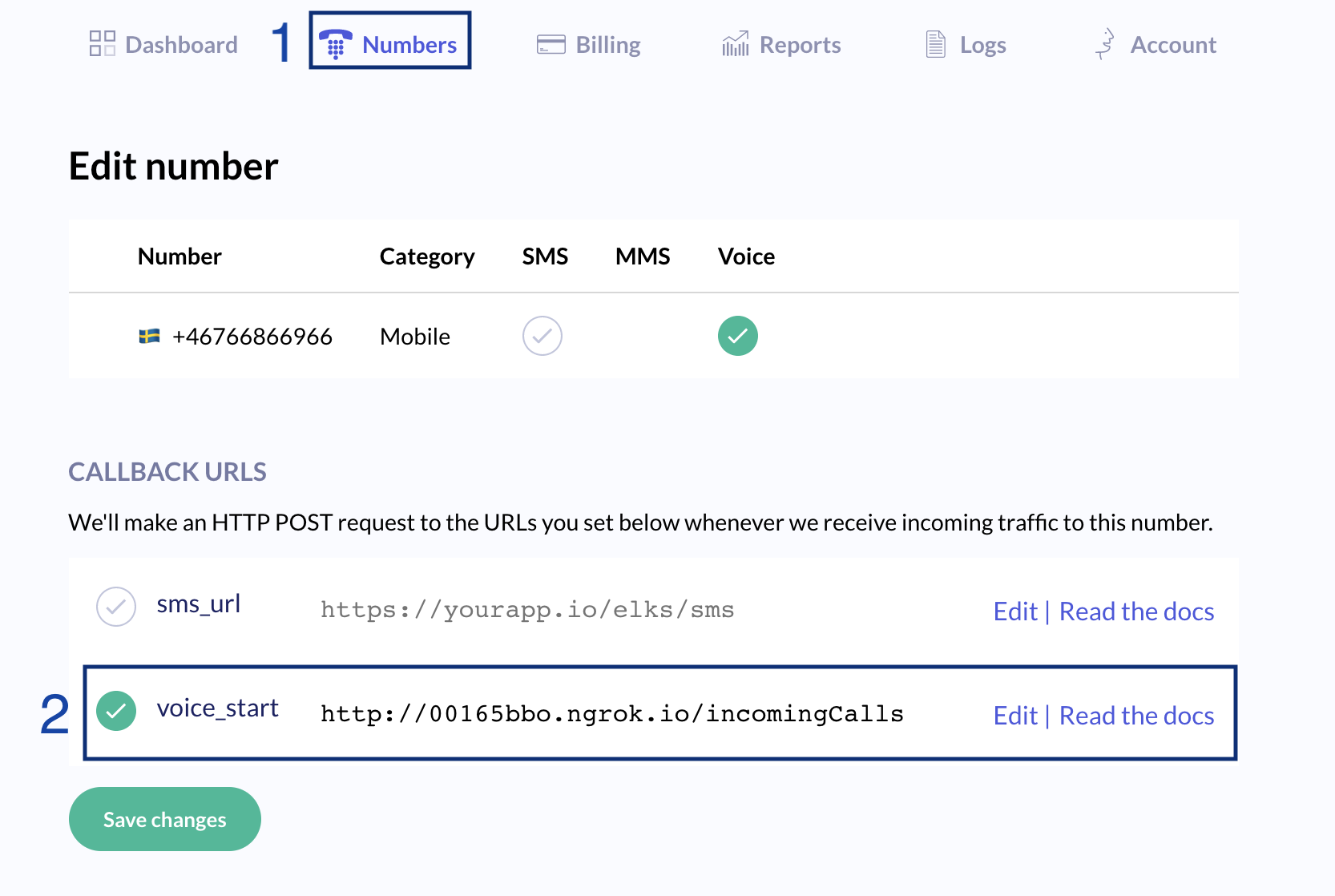
Configuring your 46elks virtual phone number
We need to configure our 46elks virtual phone number so that our node app is triggered
whenever we receive a phone call. To do this head to your dashboard.
In this example we are using NGROK, so we have added details of our NGROK server with /incomingCalls
on the end.
Now we are ready to test our app
You should now be able to test your application.- Initiate your server or NGROK tunnel if you have not already.
- Initiate
app.jsto start your Node application - Call your 46elks number to test
What success looks like
Below are two images. The first shows the terminal running the app.js server and the second is the NGROK server.
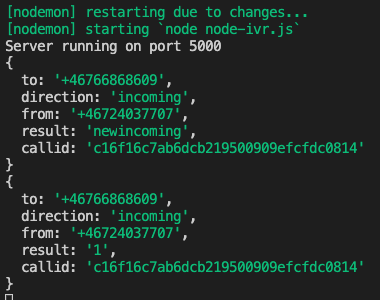
You can see in the image the different types of data that 46elks posts towards each Node endpoint and how that data changes. In the example the caller selects the first option by pressing "1" and this is the result we obtain from the the API.
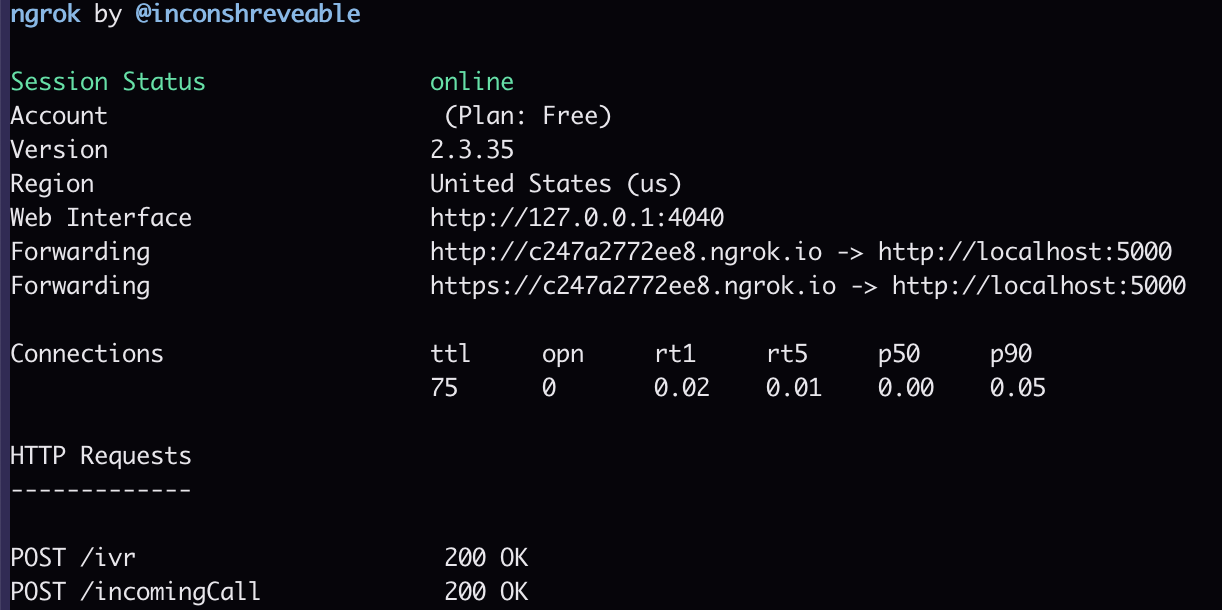
You can see in this image the two posts 46elks has made to the two Node endpoints that we setup in our code example.
Need some more help or have some suggestions?
We would love to hear what you have to say. You can send us an email to help@46elks.com.


